
Gemini Storybook Teaching Application: Create a Personalized Picture Book in 1 Minute
Gemini Storybook Teaching Application: Create a Personalized Picture Book in 1 Minute
Did you know that you can now quickly create storybooks using Google's AI? Gemini Storybook can generate a storybook, complete with text, illustrations, and read-aloud audio, in just one minute. This allows teachers and students to co-create personalized picture books using photos, injecting more interactivity and fun into education. Through simple steps, teachers can easily transform teaching ideas into vivid educational materials, effectively saving time and optimizing the learning experience.
How to Use Gemini Storybook? Application Guide and Steps for Teachers
Key Takeaways
1、Whatis Gemini Storybook? 2、Gemini Storybook Operation Steps 3、 Tips for Using Gemini Storybook 4、How to Choose Gemini AI Image Generation Styles? 5、 Previously, one had to generate text and images individually; now, it only takes a few minutes.
What is Gemini Storybook?
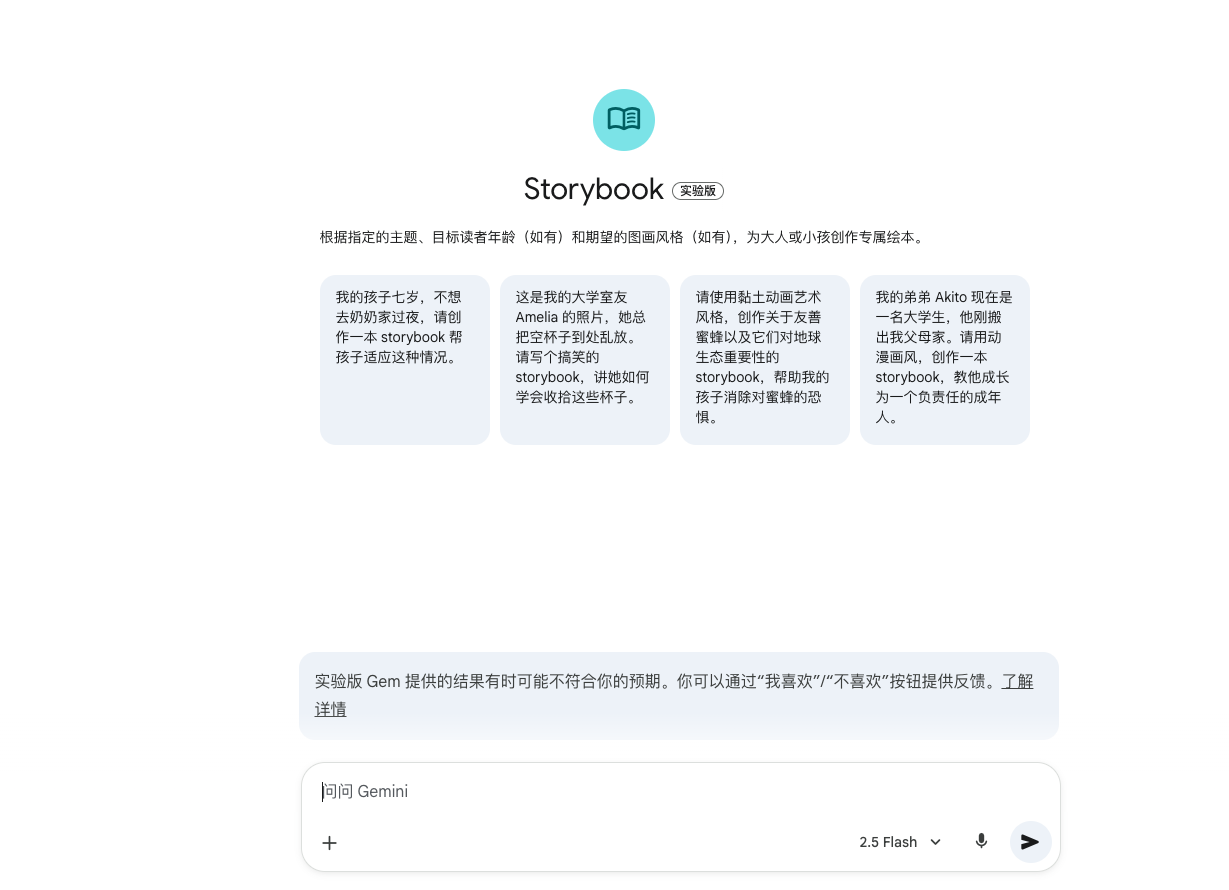
We all know that children love stories. Now, with Google's Gemini Storybook, plain text or images are no longer a limitation. This feature can generate a 10 to 12-page storybook that includes text, illustrations, and read-aloud audio in just 1 minute. It supports over 45 languages and comes with numerous art style options: Pixel Art, Comic, Claymation, Coloring Book, and more.
For teachers, this new feature is a great asset: it can instantly turn teaching ideas or educational announcements into picture book stories, saving the hassle of layout design while balancing student-teacher interaction and educational value.
Gemini Storybook can quickly generate storybooks with illustrations, text, and audio. (Screenshot from Gemini page)
1. Storyfy Abstract Concepts for Natural Understanding For example, when teaching the "Eight Planets of the Solar System," "Respecting Differences," or SEL (Social-Emotional Learning), you can ask the AI to narrate a story with anthropomorphic characters. You can also provide curriculum outlines to design illustrated text materials, which are more engaging than traditional lectures.
2. Language Learning and Bilingual Teaching: Read-Aloud and Illustrations Stimulate Language Sense Gemini Storybook's built-in AI read-aloud function, paired with text and illustrations, is a significant help for developing a sense of language and listening comprehension. Whether it's practicing English vocabulary, sentence structures, or learning a second mother tongue, stories make the introduction more interesting and efficient.
3. Student-Teacher Co-Creation: Turn Photos into Picture Book Stories Upload photos from the classroom or a trip, and the AI can generate a storybook based on them. This is convenient for creating class picture books or special gifts, allowing every student to feel a sense of class participation.
Gemini Storybook Operation Steps
Here are simple steps to quickly get started with Gemini Storybook:
| Step | Operation Content |
|---|---|
| 1. Access the Feature | Log in to the Gemini App or web version. Go to Gems from the left-side menu and find the Storybook module (sometimes you may need to click "More" to see it). |
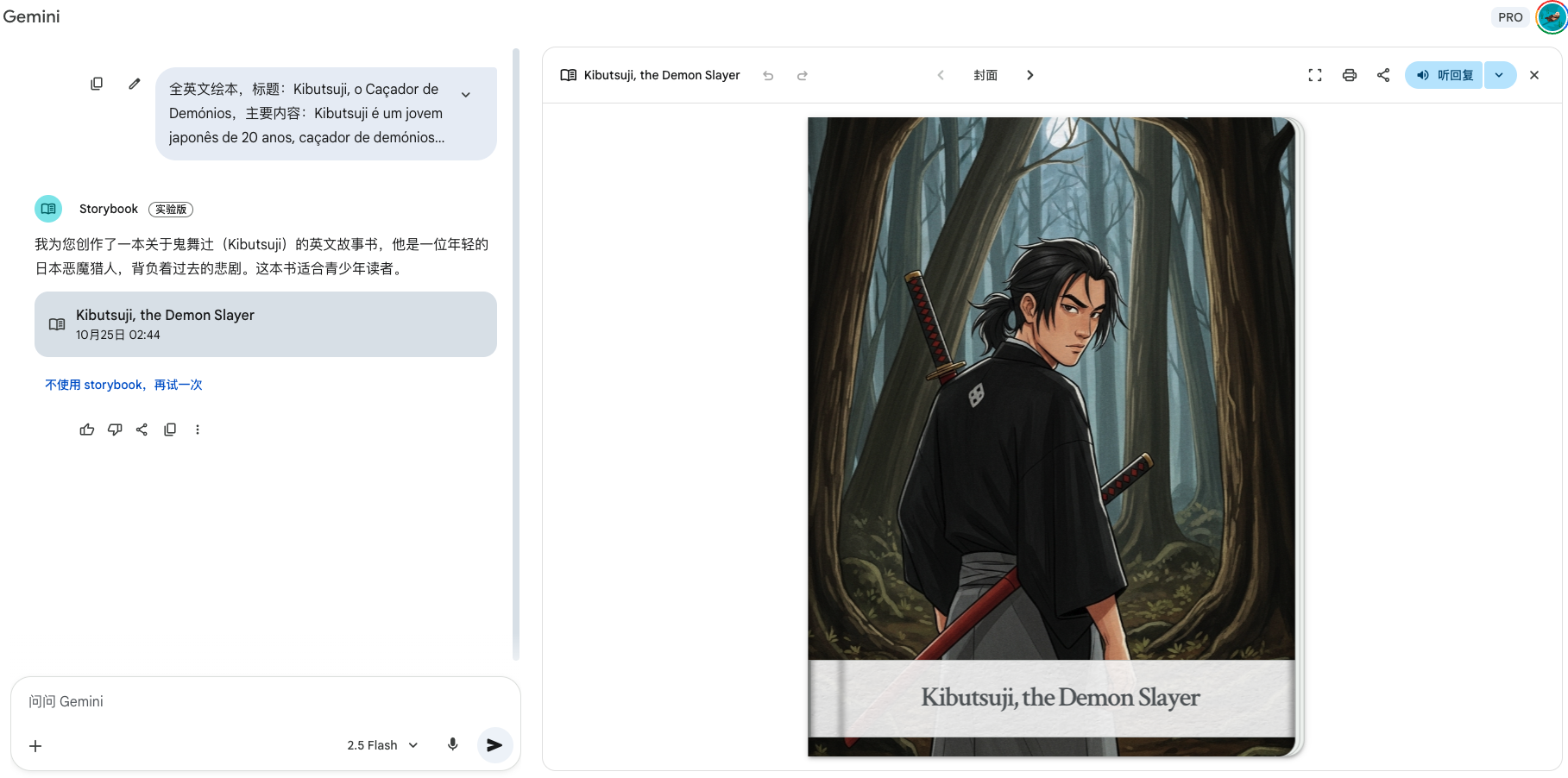
| 2. Enter Theme and Materials | Describe the story you want to tell in the input box, specifying the reader (e.g., 8-year-old child), theme (e.g., "Solar System Adventure"), and style (Comic, Coloring Book, etc.). You can also upload relevant photos as reference. |
| 3. Generate and Preview | After pressing generate, the system will automatically produce a complete 10-page storybook in 1 minute. You can play the read-aloud audio, download a PDF, print it, or copy and share the link with friends and family. |
| 4. Iterate and Adjust | If the content is unsatisfactory, you can use the chat function to ask Gemini to modify the style, plot details, tone, illustration style, etc., until the desired effect is achieved. |
Input your desired story theme and style in Gemini Storybook to automatically generate a storybook. (Screenshot from Gemini page)
Tips for Using Gemini Storybook
- Gemini Storybook's generation speed is extremely fast, often taking less than a minute to complete.
- If uploaded reference photos are too complex or numerous, the AI might have difficulty identifying details, resulting in inaccurate illustrations; it is recommended to use simple and clear images.
- This feature is currently "experimental," and testing shows that minor inaccuracies in details or strange illustrations (such as a character with three arms or an illogical background) can occasionally occur.
How to Choose Gemini AI Image Generation Styles?
When prompting the AI to generate images, you can select an appropriate style based on the intended use to get a more desirable result. Below is a compilation of recommended uses and suggestions for teachers:
1. Watercolor Style
- Suggested Use: Suitable for depicting daily life, food recognition, biology, and other themes, creating a warm and natural atmosphere.
Gemini Generated Image Example: Watercolor.
2. Coloring Book Style
- Suggested Use: This is very suitable for lower-grade students. It can generate simple line art for students to color themselves, training their hand-eye coordination. It can also generate patterns related to the curriculum.
Gemini Generated Image Example: Coloring Book.
3. Claymation Style
- Suggested Use: Suitable for creating teaching aids about stories, people, or astronomy. The three-dimensional quality of Claymation images effectively captures students' attention and can make abstract concepts more concrete.
Gemini Generated Image Example: Claymation.
4. Pixel Art Style
- Suggested Use: Highly suitable for computer science or information technology education, such as introducing digital technology or programming. Pixel Art is a popular style for conveying a "game" feel.
Gemini Generated Image Example: Pixel Art.
5. Educational Cartoon Style
- Suggested Use: This is one of the most practical styles, capable of transforming complex scientific concepts, historical events, or literary stories into an easily understandable comic format for students.
Gemini Generated Image Example: Educational Cartoon.
6. Paper Cut Art Style
- Suggested Use: Can be used to create picture books for traditional stories, teaching posters for festivals, or to introduce cultural characteristics of different countries.
Gemini Generated Image Example: Paper Cut Art.
7. Vintage Poster Style
- Suggested Use: The Vintage Poster style has a strong visual impact, with bright, detailed lines and unique design, making it quite versatile.
Gemini Generated Image Example: Paper Cut Art.
8. Cubism Style
- Suggested Use: The Cubism style combines geometricization, multiple perspectives, and flattening techniques, breaking with traditional painting methods. This can make the visuals highly unique, eye-catching, and leave a deep impression.
Gemini Generated Image Example: Cubism.
In addition, you can also add other details to enrich the images, such as setting, subject, color palette, and mood, to make the images better suit specific teaching needs.
📚 Comparison of Gemini Storybook and GenStory.app Products
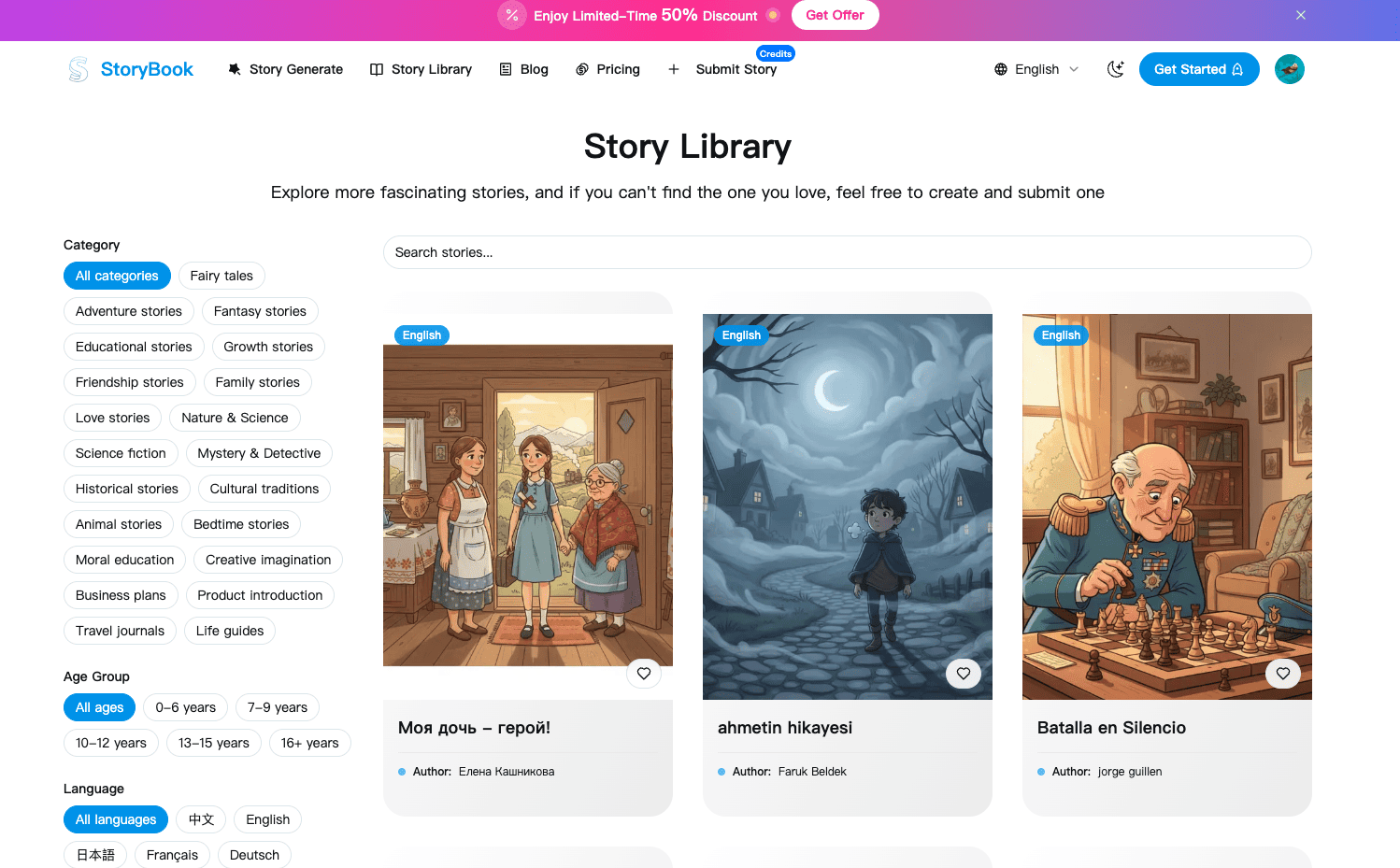
The core similarities and differences between Gemini Storybook (a feature within Google's Gemini AI) and GenStory (a dedicated story creation platform) are detailed below, based on the information you provided:
| Feature | Gemini Storybook (Google Gemini Gem) | GenStory (Dedicated Product) | Summary of Differences |
|---|---|---|---|
| Product Focus | A built-in function of Google Gemini AI, designed for quick, personalized story generation. | A focused, independent platform for AI story/picture book creation, catering to educators and creators. | GenStory offers a more professional and in-depth feature set. |
| Scenes/Templates Supported | Supports only 10 scenes. | Supports up to 50 scenes. | GenStory provides 5 times the creative flexibility. |
| Generation Efficiency | Can generate only a single story at a time. | Supports the generation of multiple stories simultaneously. | GenStory is significantly more efficient, better suited for batch creation and educational use. |
| Illustration Style Options | The style of the generated picture book is relatively limited (though different styles like watercolor, clay, comic can be specified via prompt). | Offers dozens of distinct illustration styles. | GenStory provides richer and more explicit style choices. |
| Core Similarity | Both use AI technology to generate illustrated short stories/picture books based on user prompts. | Both use AI technology to generate illustrated short stories/picture books based on user prompts. | Basic functionality is the same: Transforming text ideas into illustrated storybooks. |
Conclusion
Gemini Storybook serves as a great, easy-to-use entry-level tool showcasing Google's AI capabilities for personal and quick story creation.
GenStory appears to be a more robust platform geared towards professional educators and high-volume creators, with features designed for efficiency, flexibility, and a wider range of creative outputs.
Would you like me to use the information about GenStory's batch generation capability to create a sample use case for a teacher?